
Feb 16, 2026
Cybersecurity Tips for Fundraising Platforms
Nonprofits are prime targets for cybercriminals, with 31% of nation-state attacks expected to hit this sector by 2026. The average cost of a data breach exceeds $2 million, and ransomware incidents have surged by 70%. Alarmingly, 20% of nonprofits still lack a cybersecurity program, leaving donor data and operations at risk. Here's how to protect your fundraising platform:
- Enable Multi-Factor Authentication (MFA): Blocks 99.9% of account compromise attempts.
- Secure Email Systems: Use SPF, DKIM, and DMARC to prevent phishing.
- Encrypt Donor Data: Protect sensitive information during transmission and storage.
- Back Up Data: Follow the 3-2-1 rule and test ransomware recovery drills.
- Vet Third-Party Tools: Ensure vendors meet security certifications like PCI DSS.
- Patch Software Regularly: Close vulnerabilities before attackers exploit them.
- Train Staff: Human error causes 88% of breaches - educate your team on phishing.
- Adopt Endpoint Detection Tools: Monitor devices for unusual activity.
- Review Access Controls: Limit permissions to reduce risks.
- Leverage Nonprofit Discounts: Save up to 75% on tools like Microsoft Defender.
Cybersecurity is not just about technology - it’s about protecting donor trust and ensuring your mission's continuity. Start small with these practical steps to safeguard your platform.

Cybersecurity Statistics and Best Practices for Nonprofit Fundraising Platforms
1. Enable Multi-Factor Authentication Everywhere
Prevention of Unauthorized Access
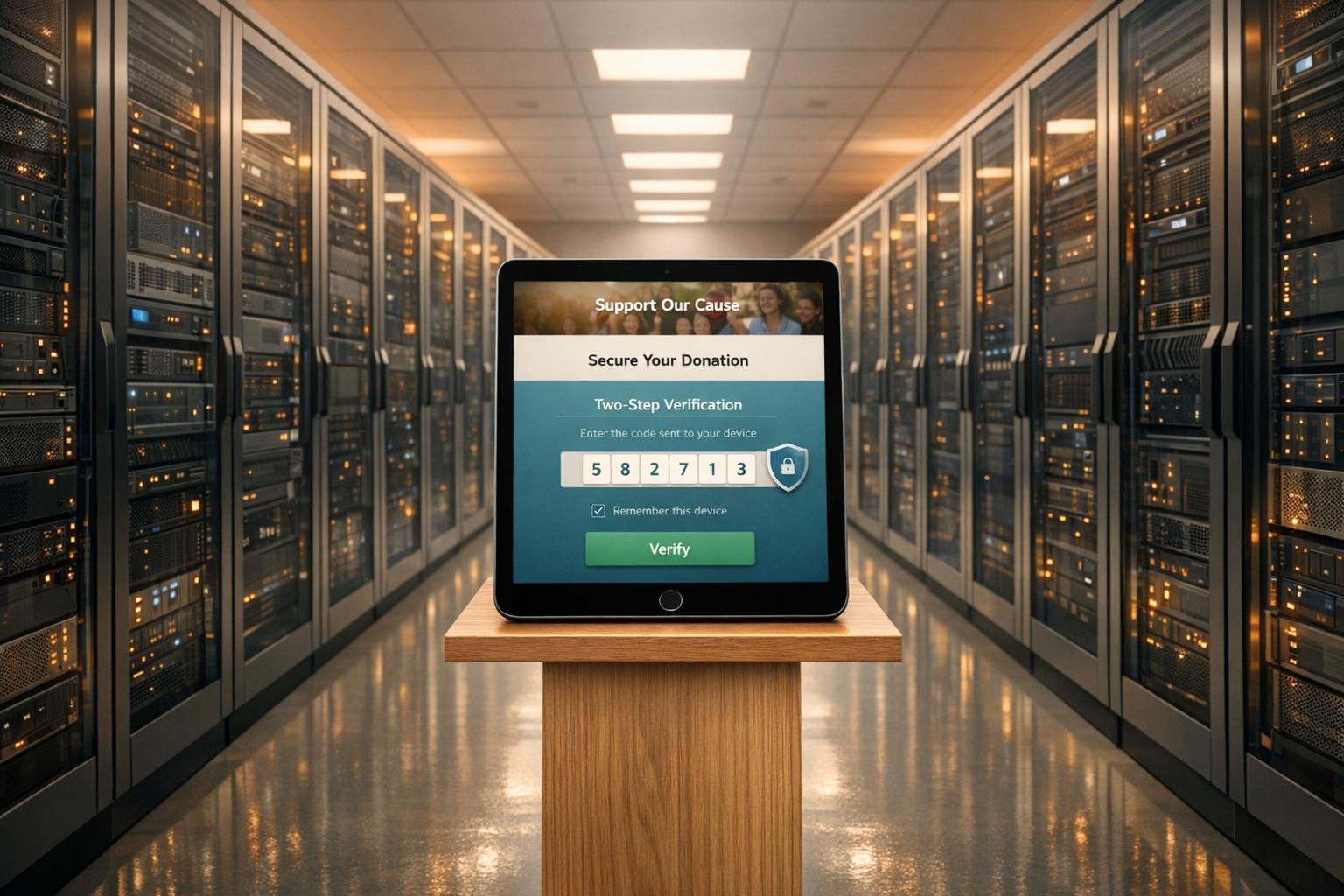
Multi-factor authentication (MFA) adds an extra layer of security by requiring two forms of verification before granting access to your fundraising platform. This means that even if a staff member's password is stolen - perhaps through phishing - the attacker can't proceed without the second verification step, such as a code from an authenticator app or a physical security key. According to Microsoft's analysis, MFA blocks over 99.9% of account compromise attempts, making it one of the most effective defenses against password-related threats like brute-force attacks and credential stuffing.
For nonprofits, the stakes are even higher. About 10% of organizations without MFA experience a compromised account each year. Considering the sensitive donor payment information and other critical data stored by nonprofits, such risks are simply too high to ignore. MFA provides a strong foundation for protecting against evolving cyber threats.
Resilience Against Phishing and Ransomware Attacks
Phishing remains one of the most common ways cybercriminals gain access to systems. MFA steps in as a powerful deterrent. As PBMares explains, "MFA goes beyond simple passwords... This added layer makes it harder for cybercriminals to hijack staff or administrator accounts".
Ransomware attacks, which have surged nearly 70% in the last year, often start with unauthorized account access. By blocking this initial entry point, MFA can prevent attackers from deploying malware that could lock you out of vital donor databases - especially during critical fundraising campaigns. However, not all MFA methods are equally secure. Authenticator apps like Google Authenticator, Microsoft Authenticator, or 1Password offer stronger protection than SMS-based codes, which can be compromised through SIM swapping attacks.
Cost-Effectiveness for Nonprofits
MFA isn't just a security upgrade - it’s also budget-friendly. Many platforms, like Microsoft Office 365 and Google Workspace, include MFA features at no extra charge. Password managers like Bitwarden, which start at just $4 per user per month, also integrate MFA options. For organizations requiring hardware-based solutions, YubiKeys provide phishing-resistant authentication, though most nonprofits will find authenticator apps sufficient for their security needs.
PlanStreet highlights MFA as "one of the most cost-effective cybersecurity options available". It enhances security without requiring constant password changes or expensive tools. To maximize its benefits, enforce MFA across all users - staff, board members, and volunteers - who interact with your CRM, email accounts, cloud storage, or fundraising platforms. Additionally, review your platform settings - whether you use Classy, Donorbox, Funraise, or another tool - to ensure two-factor authentication is enabled for all administrative access.
sbb-itb-deea482
2. Implement Phishing-Resistant Email Protocols
Resilience Against Phishing and Ransomware Attacks
Securing email communications is a critical step in defending against phishing and ransomware attacks. For nonprofits, email often serves as a primary gateway for cyberattacks. In fact, 90% of phishing attempts rely on social engineering tactics, such as email spoofing, to deceive recipients. This makes it essential to adopt strong email security protocols to protect sensitive systems like your fundraising platform.
Protocols like SPF, DKIM, and DMARC can help verify the legitimacy of emails. Here’s how they work:
- SPF (Sender Policy Framework): Ensures only authorized servers (like MailChimp or Google Workspace) can send emails on your behalf.
- DKIM (DomainKeys Identified Mail): Adds a digital signature to confirm the integrity of your emails.
- DMARC (Domain-based Message Authentication, Reporting, and Conformance): Defines how to handle unauthenticated emails - whether to deliver, quarantine, or reject them.
By configuring these protocols, you establish a solid foundation for email security while aligning with broader cybersecurity practices.
Prevention of Unauthorized Access
To further protect your organization, consider implementing MTA-STS (Mail Transfer Agent Strict Transport Security) to encrypt email transmissions. Additionally, BIMI (Brand Indicators for Message Identification) can reinforce your nonprofit’s brand recognition in email inboxes, reducing the likelihood of impersonation.
For inactive or parked domains, strict SPF records (e.g., v=spf1 -all) and DMARC policies set to p=reject can block attackers from exploiting these domains to impersonate your nonprofit. These measures are particularly useful for minimizing unauthorized access and maintaining trust.
Cost-Effectiveness for Nonprofits
The best part? These protocols are free. You can update DNS settings through your domain registrar or hosting provider. Platforms like Microsoft 365 and Google Workspace include built-in tools to assist with configuration. If you use Cloudflare, it even offers automated DMARC record generation. Start with a "none" (report-only) DMARC policy to monitor email traffic before transitioning to stricter enforcement.
To minimize disruptions, schedule DNS updates after business hours, allowing changes to propagate with minimal impact. Pair these technical measures with regular phishing simulations using tools like KnowBe4 or Gophish. Training your staff to recognize suspicious emails ensures an added layer of protection, significantly reducing your vulnerability to cyber threats. Together, these steps create a resilient defense system tailored to nonprofits.
3. Encrypt Donor Data in Transit and at Rest
Protection of Donor Data
Encryption acts as the ultimate defense for donor data, ensuring that it stays unreadable without the correct decryption key.
To safeguard donor information effectively, secure it both during transmission and storage. Use SSL/TLS protocols (indicated by "https") to encrypt data in transit, particularly on donation pages. This reassures supporters that their personal information is protected. For data at rest, store sensitive records - like personally identifiable information and financial details - in encrypted databases. Never keep critical details such as passwords or credit card numbers in plain text or on unprotected devices.
"Encryption is crucial... even if donor data is intercepted, it will be more difficult to manipulate or use maliciously because it will be unreadable."
Pair encryption with strict access controls to strengthen overall data security.
Prevention of Unauthorized Access
Limiting access to encrypted data adds another layer of protection. Enforce role-based access controls to ensure only authorized personnel can handle sensitive information. For remote work scenarios, require staff to use an encrypted VPN (Virtual Private Network) to create secure connections, even over public or less secure networks.
Third-party vendors handling donor data should also meet rigorous security standards. Look for platforms that comply with industry certifications like PCI DSS Level 1, SOC II, or ISO 27001, which mandate robust encryption practices. Additionally, select payment gateways that use tokenization to replace sensitive credit card data with unique symbols, minimizing exposure risks.
Cost-Effectiveness for Nonprofits
Encryption doesn’t have to break the bank. Many hosting providers offer SSL/TLS certificates for free or at a low cost, and modern CRMs often include built-in database encryption. For nonprofits struggling with on-site server maintenance, cloud-based storage solutions provide automatic encryption and often come with discounts tailored for nonprofits.
Affordable tools like password managers also enhance security. For example, Bitwarden offers a free tier with paid plans starting at around $4 per user per month, while 1Password provides discounted rates for nonprofits. These small investments pale in comparison to the potential financial and reputational damage of a data breach.
"The most effective control is also the simplest: Don't hoard data. The value of data to your organization decreases over time, but your liability for protecting it never does."
Regularly purging unnecessary donor information can further reduce risks. Platforms like Share Services, designed for nonprofits, often include encryption as a standard feature, making it easier to comply with security best practices.
4. Conduct Regular Backups and Ransomware Drills
Resilience Against Ransomware Attacks
Ransomware attacks saw a nearly 70% increase in 2023. When ransomware locks down your data, having a solid backup plan can mean the difference between a quick recovery and paying a hefty ransom. Organizations with verified backups can fully restore operations, while those without may face irreversible data loss or expensive ransom demands.
"Backups are a primary target for attackers since the attackers want to prevent you from being able to recover your data without paying the ransom." – LSNTAP
To safeguard your data, store backups offsite in immutable storage - a system where files cannot be altered or deleted once saved. Follow the 3-2-1 rule: keep three copies of your data, stored on two different media types, with one copy securely offsite. This approach is crucial for protecting sensitive donor information.
Protection of Donor Data
Back up everything critical: donor databases, user profiles, files, and server images. Encrypt these backups both during transit and while stored. Independent, encrypted backups not only help you meet retention requirements but also shield your data from corruption. To tighten security, use Multi-Factor Authentication (MFA) to ensure only authorized personnel can access backup systems.
Cost-Effectiveness for Nonprofits
For nonprofits, the focus should be on backing up essential systems. Automated backup services can simplify daily operations. While the initial setup may take some effort, the long-term benefits far outweigh the costs, especially when it comes to avoiding expensive recovery efforts. Incorporating MFA and encryption into your backup routine strengthens your overall security.
"A tabletop exercise is a simple, structured discussion of a potential scenario... You can run one in 30 minutes and discover gaps in your response plan when corrective action is still straightforward." – Joshua Peskay, Co-founder, Meet the Moment
Run a 30-minute tabletop drill at least once a year to test your recovery process and identify any weaknesses. Keep an updated emergency contact list that includes tech experts, legal advisors, and insurers. These regular drills, combined with clear recovery protocols, are essential for reinforcing your cybersecurity defenses.
Your Nonprofit’s Cybersecurity: Practical Steps to Protect Your Data
5. Secure Third-Party Fundraising Integrations
Just like MFA and encryption safeguard internal data, it's equally important to secure third-party integrations to keep your fundraising platform safe.
Protection of Donor Data
Before adding any third-party fundraising tools, make sure the vendor meets key certifications like ISO 27001, SOC 2 Type II, or PCI DSS Level 1 to ensure donor data stays protected. Keep a detailed list of all external vendors, the data they access, and include breach-notification clauses requiring alerts within 24 hours. Without this, you might not learn about a breach for weeks or even months - the average time to detect and contain a data breach is a staggering 241 days.
"The most effective control is also the simplest: Don't hoard data. You can't suffer a data breach if you don't have data." – Joshua Peskay, Co-founder, Meet the Moment
Only sync the donor data you absolutely need and delete unnecessary information promptly. Data breaches that require notifying victims can cost nonprofits an average of $7 million.
Lastly, implement strict administrative controls to limit who can access sensitive systems.
Prevention of Unauthorized Access
Limit the ability to approve integrations to a small group of trained administrators. Use role-based access control (RBAC) within your donor management system to ensure staff and volunteers can only view the data they need for their specific roles.
Be cautious when choosing integrations. First-party integrations - those provided by your platform - are often more secure because they adhere to the platform's built-in safeguards. Avoid third-party plugins that require your login credentials, and stick to verified browser extensions instead.
Set up alerts for unusual activities, such as failed login attempts, access from unfamiliar locations, or unexpected data downloads. These alerts can help you catch potential breaches early. Additionally, enable phishing-resistant multi-factor authentication (MFA) for all administrative accounts tied to your fundraising tools. MFA is incredibly effective, blocking over 99.9% of account compromise attempts.
By reducing unauthorized access, you not only enhance security but also save money by avoiding costly breaches.
Cost-Effectiveness for Nonprofits
Security doesn't have to break the bank. Many vendors offer discounted rates for nonprofits. For example, Bitwarden starts at $4 per user per month, and 1Password provides special nonprofit pricing. These tools help your team manage credentials securely, avoiding risky practices like sharing passwords through unsecured methods.
Before committing to a vendor, send them a security questionnaire. Ask about their encryption practices (both in transit and at rest), their history with security breaches, and how often they perform penetration testing (ideally, this should be at least once a year). Taking the time to vet vendors thoroughly can help you avoid expensive security issues later on.
"A compromised vendor creates an open door for hackers to infiltrate the organization's systems. Properly vetting vendors' security protocols is essential." – Sage Avarda, Content Marketing Manager, Fundraise Up
6. Patch Systems and Software Promptly
Protection of Donor Data
After implementing measures like MFA and encryption, keeping systems and software updated is a crucial step in safeguarding donor information. Cybercriminals actively search for outdated software to exploit vulnerabilities, often targeting donor records. With cyberattacks happening every 39 seconds and 1,802 data compromises reported in 2022 alone - affecting over 422 million victims - prompt patching becomes essential to close security gaps before they can be exploited.
Regular updates are a clear indicator of a vendor's dedication to security. When assessing fundraising platforms, check their change logs to see how often they release security patches. Frequent updates show they prioritize the long-term safety of donor data.
"When your payment processing solution performs regular security updates, that's a sign they're committed to protecting donor data for the long haul." – Nonprofit Learning Lab
By staying on top of patches, you reduce the risk of sensitive data falling into the wrong hands.
Prevention of Unauthorized Access
Outdated software serves as an open invitation for attackers to infiltrate your systems. To counter this, enable automatic updates for your CMS and plugins to ensure immediate protection. Additionally, removing unused plugins or outdated software eliminates potential vulnerabilities that hackers could exploit.
"Attackers can leverage weaknesses in software, such as outdated patches or unprotected login credentials, to gain unauthorized access to systems." – PBMares
For nonprofits with limited IT resources, cloud-based fundraising platforms can be a game-changer. These platforms handle security updates and patches automatically, reducing the workload on your team. Beyond preventing unauthorized access, timely updates also help block malware specifically designed to exploit known vulnerabilities.
Resilience Against Phishing and Ransomware Attacks
Ransomware attacks have surged by nearly 70% in just one year, often targeting unpatched systems. These attacks can encrypt critical files, disrupt donations, and halt operations. Older systems are especially vulnerable, with the average cost of lost business from breaches reaching $1.42 million in 2022.
To mitigate risks, always back up essential files before applying updates. Installing a web application firewall (WAF) can also provide an added layer of defense against exploits targeting known vulnerabilities. Focus on patching donation forms and third-party integrations, as they handle sensitive financial data directly.
Cost-Effectiveness for Nonprofits
For nonprofits, patching is one of the most affordable ways to bolster security. It offers robust protection without requiring significant IT investment. Routine patching also helps avoid the steep costs associated with recovering from a cyberattack.
Conduct regular audits of your systems to identify outdated components, and maintain an up-to-date inventory of all hardware and software to ensure nothing is overlooked. This proactive approach not only saves money but also strengthens your overall cybersecurity posture, reducing the likelihood of costly breaches.
7. Train Staff on Cybersecurity Awareness
Protection of Donor Data
Your fundraising platform's security depends heavily on how well your team understands cybersecurity practices. Even with tools like MFA and encryption in place, internal errors account for 88% of breaches. This makes staff training essential. Teach your team to recognize phishing emails and protect donor data, turning them into your first line of defense. Tools like KnowBe4 or Gophish can help by sending monthly simulated phishing emails. If someone clicks on a fake link, they're redirected to an educational page that highlights the warning signs they missed. These ongoing simulations are far more effective than once-a-year training checklists.
Another crucial step is limiting access to sensitive data, which reduces the risk of exposure.
Prevention of Unauthorized Access
Reused passwords are a major vulnerability. To combat this, implement role-based access controls for staff and volunteers. This ensures that individuals only have access to what they need for their roles. When stolen credentials are involved, breaches often go unnoticed for an average of 292 days - nearly 10 months of unauthorized access. Regularly reviewing user permissions can help identify and remove unnecessary access before it becomes a problem.
"Cybersecurity can't be successful if it's the job of just your IT person; it must be the job of every person at your organization." – Rick Cohen, National Council of Nonprofits
Resilience Against Phishing and Ransomware Attacks
Phishing remains a leading cause of ransomware attacks, accounting for 45% of cases, with 91% of incidents originating via email. To prepare your team, run 30-minute tabletop exercises where staff walk through hypothetical scenarios - like a compromised donor database - to identify gaps in communication and clarify roles. Encourage a non-punitive approach to reporting suspicious activities so threats can be addressed quickly and without hesitation. When staff are trained and use MFA, they can block over 99.9% of account compromise attempts. Additionally, require verbal or secondary verification for wire transfer requests or financial account changes to prevent fraud.
Cost-Effectiveness for Nonprofits
Cybersecurity training is one of the most budget-friendly ways to improve security. Instead of costly hardware upgrades, it leverages your existing team. Despite this, 59% of nonprofits currently don't offer any cybersecurity training, leaving a massive opportunity to strengthen defenses. Free resources from organizations like TechSoup, NTEN, and CISA can help. Some firms, like Keystone Technology Consultants, even provide free consultations to assist nonprofits in building their defenses. The cost of regular training is minimal compared to the financial hit of a breach, which can include forensics, crisis management, and cyber insurance claims, often totaling thousands of dollars annually. Plus, investing in training not only secures your data but also reinforces donor trust - a critical factor in successful digital fundraising.
8. Adopt Endpoint Detection Tools
Protection of Donor Data
After implementing strong staff training, the next step is adopting endpoint detection and response (EDR) tools. These tools monitor all devices connected to your fundraising platform, identifying threats before they compromise donor data. For instance, they can catch early warning signs like unusual downloads, logins from unexpected locations, or sudden spikes in donor record activity. Imagine someone logging in from an unfamiliar location during off-hours and downloading a large volume of donor files - EDR tools would flag this behavior immediately. This kind of early detection is a game-changer, paving the way for stronger access controls.
Prevention of Unauthorized Access
EDR tools don’t just detect threats - they actively analyze system logs for irregularities. This includes failed login attempts, unauthorized permission changes, or dormant accounts suddenly becoming active. Considering that stolen credentials can linger undetected for up to 292 days, these tools provide automated alerts at the first sign of suspicious activity. When paired with role-based access controls, they ensure that even if a device is compromised, attackers are limited to the data accessible to that specific user.
Resilience Against Phishing and Ransomware Attacks
With ransomware attacks surging by nearly 70% recently, endpoint tools are essential as a safety net when other defenses fall short. They act as a detective system, catching threats before they cause damage. As one expert put it:
"These controls alert us when 'something goes bump in the night' so we can track it down and remove it before causing damage."
Since 90% of phishing attacks exploit social engineering rather than directly targeting infrastructure, EDR tools use AI to detect unusual behavior. For example, if a staff member suddenly accesses financial records outside their usual scope, the system can block the activity before ransomware encrypts your data.
Cost-Effectiveness for Nonprofits
Advanced endpoint protection is surprisingly affordable for nonprofits. Cloud-based solutions like Microsoft Defender for Business offer nonprofit discounts of up to 75%, while Microsoft 365 Business Premium includes free endpoint security seats - making these tools accessible for just a few dollars per user each month. This eliminates the need for costly hardware or dedicated IT staff, significantly reducing overhead. Considering that a data breach can average nearly $5 million, these solutions are a cost-effective way to build a strong defense for your digital fundraising platform. Together with other measures, they create a comprehensive and resilient security framework.
9. Review Access Controls Regularly
Prevention of Unauthorized Access
Once you've implemented endpoint detection tools, the next step is making sure access to your donor data is under control. This means regularly reviewing and updating access permissions to minimize potential vulnerabilities. A good starting point? Audit your user list quarterly. Look for accounts that no longer need access - like former employees, volunteers who’ve moved on, or contractors whose projects are complete. Dormant accounts can be a backdoor for insider threats, so removing them promptly is crucial.
After clearing out inactive accounts, take a close look at role-based permissions. Using Role-Based Access Control (RBAC) ensures that users only have access to the data they need to perform their tasks. For instance, a volunteer managing event RSVPs doesn’t need the ability to export the entire donor database or modify financial records. Tools like permission groups or "data views" can help you fine-tune these settings. As Nonprofit Learning Lab explains:
"Stakeholders who only need limited access to your data should feel confident knowing they are less likely to cause security risks for your organization".
Resilience Against Phishing and Ransomware Attacks
Access reviews also play a major role in limiting damage from phishing attacks. With 88% of data breaches linked to internal errors - like clicking on malicious links - restricting permissions can keep attackers from accessing your entire system. For example, if a junior staff member’s credentials are stolen, the attacker’s reach will be limited to only the data that user is authorized to access.
Another smart move? Separate administrative accounts from everyday accounts. High-value users, like IT admins, should have dedicated accounts for routine tasks and a separate one for administrative work. This way, even if one account is compromised, hackers won’t gain full system control. Cybersecurity experts Vonnita Jones and Kai Dailey from 501 Commons emphasize:
"A single unprotected entrance into an account or system can be exploited by a hacker causing significant disruption to your nonprofit's finances and operations".
Make sure to regularly check audit logs for unusual activity, like failed login attempts or access from unexpected locations. These reviews can help you catch potential threats early.
Cost-Effectiveness for Nonprofits
The good news? Quarterly access reviews are both manageable and budget-friendly. Assign a specific person to oversee user permissions and updates. Many donor management systems already include built-in permission tools and audit logs, so you won’t need to spend extra. These simple steps not only protect donor data but also help maintain trust and meet compliance requirements without straining your resources.
10. Use Nonprofit Security Discounts
Budget-Friendly Cybersecurity Options for Nonprofits
If you're already investing in cybersecurity, nonprofit security discounts can help stretch your budget further. High-quality, enterprise-level protection doesn’t have to break the bank. Many major providers offer nonprofits discounts ranging from 60% to 75% off their regular prices. For example, Microsoft 365 Business Premium provides free initial seats and additional ones at a 75% discount. This package includes advanced threat protection, email encryption, and device management tools.
TechSoup is a go-to platform for accessing these discounts. It offers affordable security solutions from brands like Norton, Cisco, and Bitdefender. Norton Secure VPN, for instance, protects up to five devices for just a $10 administrative fee. Similarly, Proton for Business tailors its pricing for nonprofits, with some organizations reporting savings of up to 70%. Considering that 27% of nonprofits have experienced cyberattacks, these discounts make robust security measures more attainable without overextending financial resources. These tools can seamlessly integrate into your existing cybersecurity framework, offering both protection and cost efficiency.
Safeguarding Donor Information
Discounted security tools play a crucial role in protecting sensitive donor data. Proton's encrypted suite - which includes mail, cloud storage, VPN, and password management - ensures that intercepted data remains unreadable.
"The implementation of Proton Mail has allowed us to strengthen our security on our platforms and improve our cyber security knowledge. With Proton, we've been able to centralize our digital tools which has helped us reduce costs by 70%." - Avocats Sans Frontières, Administration & IT Manager
Cloud storage providers like Box and Dropbox also offer discounted plans with encryption at rest, ensuring data remains secure. For nonprofits operating in high-risk fields like human rights or journalism, Cloudflare's Project Galileo provides free cybersecurity protection. Additionally, Bitwarden offers password management tools starting at $4 per user per month for nonprofits. Microsoft’s $2,000 annual Azure credit allows organizations to securely store donor databases in monitored cloud environments without upfront costs. These discounted tools enhance your ability to protect donor data while staying within budget.
Strengthening Defenses Against Phishing and Ransomware
Beyond software, these discounts often include training and proactive monitoring to help combat phishing and ransomware attacks. KnowBe4, for example, offers nonprofit-specific training that includes simulated phishing tests to teach staff how to recognize social engineering attacks - essential since 90% of phishing attempts rely on this tactic. Microsoft’s free AccountGuard service for eligible nonprofits provides real-time alerts for nation-state threats. Many discounted packages also include multi-factor authentication tools, which can prevent over 99.9% of account compromise attempts.
To get started, register with platforms like TechSoup or Microsoft’s Nonprofits hub to confirm your eligibility. Applying for programs like the Microsoft 365 Business Premium grant provides instant access to enterprise-grade protection. Additionally, free security assessments, such as Tech Accelerate from NTEN, can help you identify vulnerabilities before making further investments. These discounted tools and services are an excellent way to bolster your cybersecurity strategy, ensuring both data protection and resilience against evolving threats.
Conclusion
Protecting donor data isn't just about compliance - it's about maintaining trust. When donors provide their personal and financial information, they’re showing faith in your organization’s ability to safeguard it. A data breach can have long-lasting effects, eroding trust and damaging your reputation for years. As Antonina McAvoy, Partner at Cybersecurity & Risk Advisory Services, PBMares, explains:
"Nonprofits can only thrive when they have the trust of donors, volunteers, and community partners - and that trust relies on safeguarding sensitive donor data".
The numbers are alarming: ransomware attacks have surged by nearly 70% in the past year, and 88% of data breaches are caused by internal mistakes. Nonprofits can't afford to ignore these risks. The good news? Tools like multi-factor authentication (MFA) can prevent over 99.9% of account compromises. Better yet, many of these solutions are either free or heavily discounted for nonprofits. Start small: enable MFA, review database access permissions, and train your team to recognize phishing attempts. These simple steps, combined with ongoing vigilance, create a strong foundation for securing donor data.
Cybersecurity isn’t a one-time fix - it’s a continuous effort. On average, it takes 241 days to identify and contain a data breach, meaning vulnerabilities can linger for months. For organizations without an in-house IT team, partnering with experts can make all the difference. For example, Share Services offers tailored digital fundraising and marketing solutions for nonprofits with revenues between $1–$20M, providing the expertise needed to secure your operations and protect donor relationships.
Donors expect you to take every reasonable precaution to protect their information. By prioritizing cybersecurity, you’re not just ticking off a compliance checklist - you’re building a foundation for lasting donor trust and operational stability. Your donors deserve the peace of mind that their generosity won’t come with risks, and your mission deserves the resilience that comes with strong security practices.
FAQs
What should we secure first if we have no IT team?
If you lack an IT team, prioritize strengthening your human firewall - your staff. Educate your team on essential cybersecurity practices, such as spotting phishing emails, using strong and secure passwords, and protecting confidential information. Raising awareness within your organization is a crucial first step to keeping both your operations and donor data safe.
How can we tell if a fundraising vendor is secure?
To evaluate a fundraising vendor's security, start by looking into their compliance with established standards such as ISO 27001, SOC 2 Type II, and PCI DSS Level 1. It's also important to ask about their certifications, day-to-day security measures, and how they manage incident response. Taking these steps can provide peace of mind that your donor data is being safeguarded effectively.
What’s the minimum backup plan to survive ransomware?
To protect yourself from ransomware, stick to the 3-2-1 backup rule: keep three copies of your data, store them on two different types of media, and make sure one copy is kept offsite. It's also crucial that your backups are dependable, tested on a regular basis, and stored away from your primary systems. This setup ensures you can recover your data even if your main systems are compromised.
Related Blog Posts
Get helpful resources, straight to your inbox
We love sharing tools, ideas, and stories that make nonprofit work a little lighter and a lot more effective. Sign up below and we’ll send you practical tips, free resources, and a bit of encouragement—because the work you’re doing matters.
No spam. Just good stuff for good people.